Appendages
Appendages are additions, such as garages and porches, to the base area of buildings that may be specific to a particular county. Capture allows users to add, edit, and delete appendages manually or through the use of the Sketch Module. Appendages can be accessed through the building link on the parcel’s General Info tab and then worked through the Appendages section. Appendages are automatically entered when the Sketch Module is used to create buildings. To access the Sketch Module click the Appraise button located within the building link on the parcel’s General Info tab.
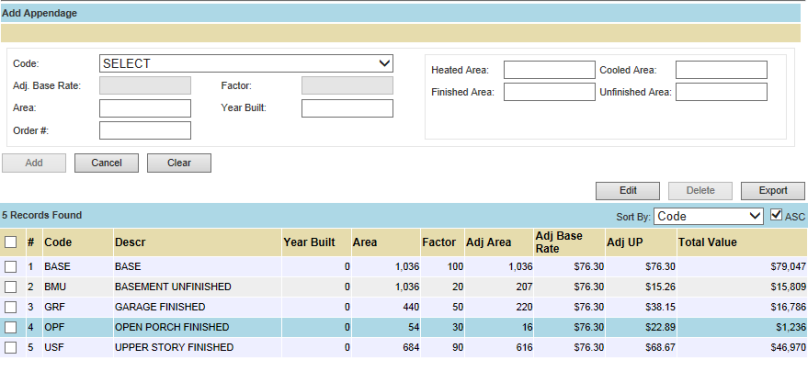
Add an Appendage
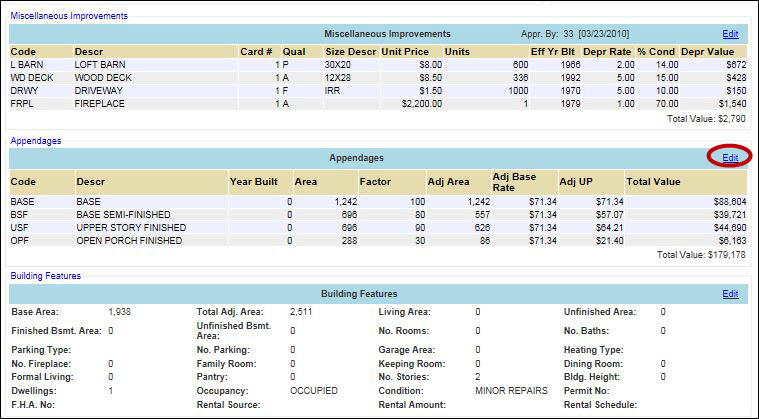
Click the Edit hyperlink in the Appendages section
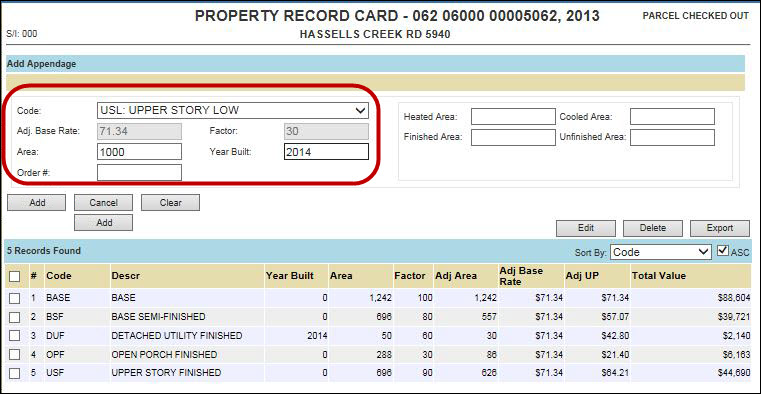
Enter the required information such as Code, Area, Year Built, etc.
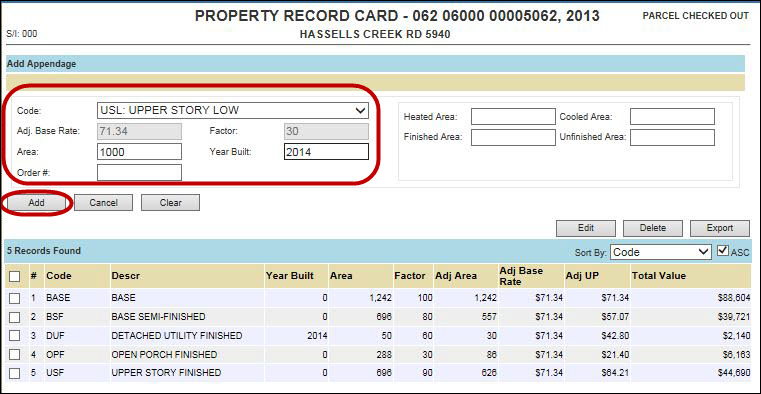
Then click Add
The new appendage is added to the list
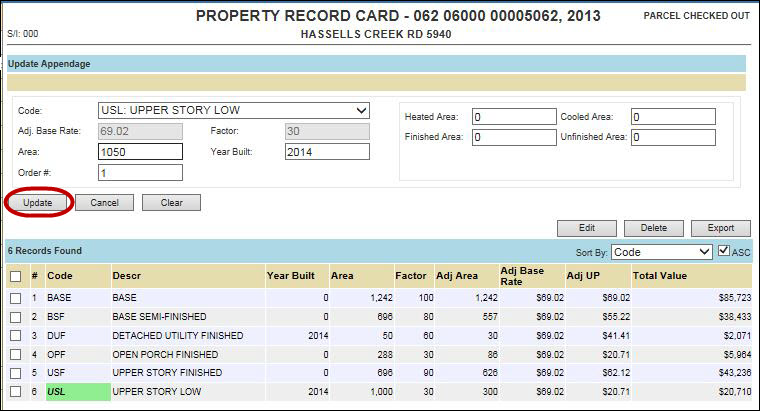
Edit an Appendage
Click the Edit hyperlink in the Appendages section
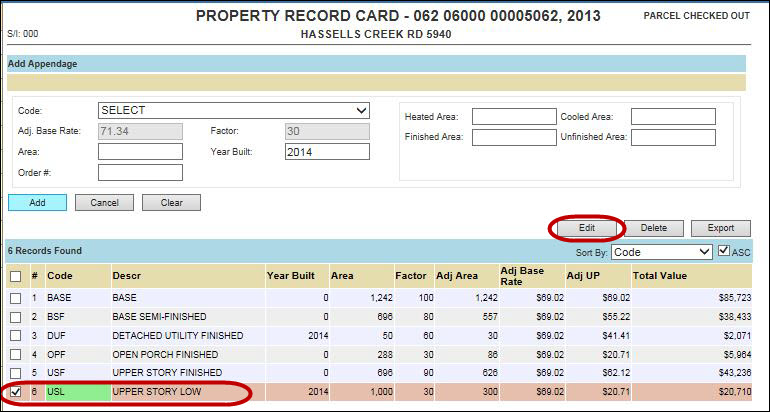
Check mark the Appendage that needs to be updated
Click Edit and make changes
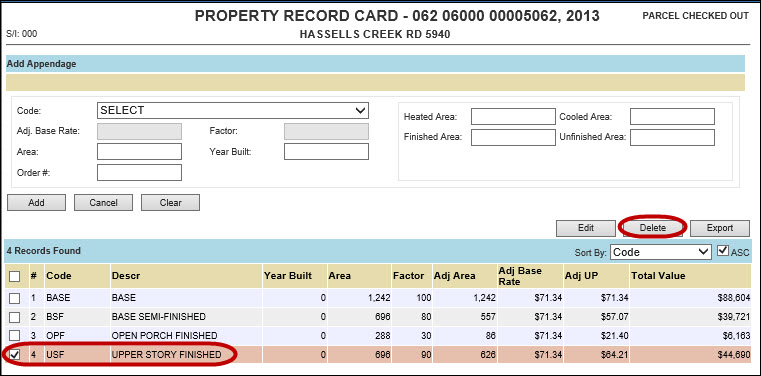
Delete an Appendage
Click the Edit hyperlink in the Appendages section
Check mark the Appendage that needs to be deleted
The item is removed from the list
Note: When the Sketch Module is used to create buildings, Appendages are automatically created. |

Confidential | Copyright © 2001-2015 E-Ring, Inc.